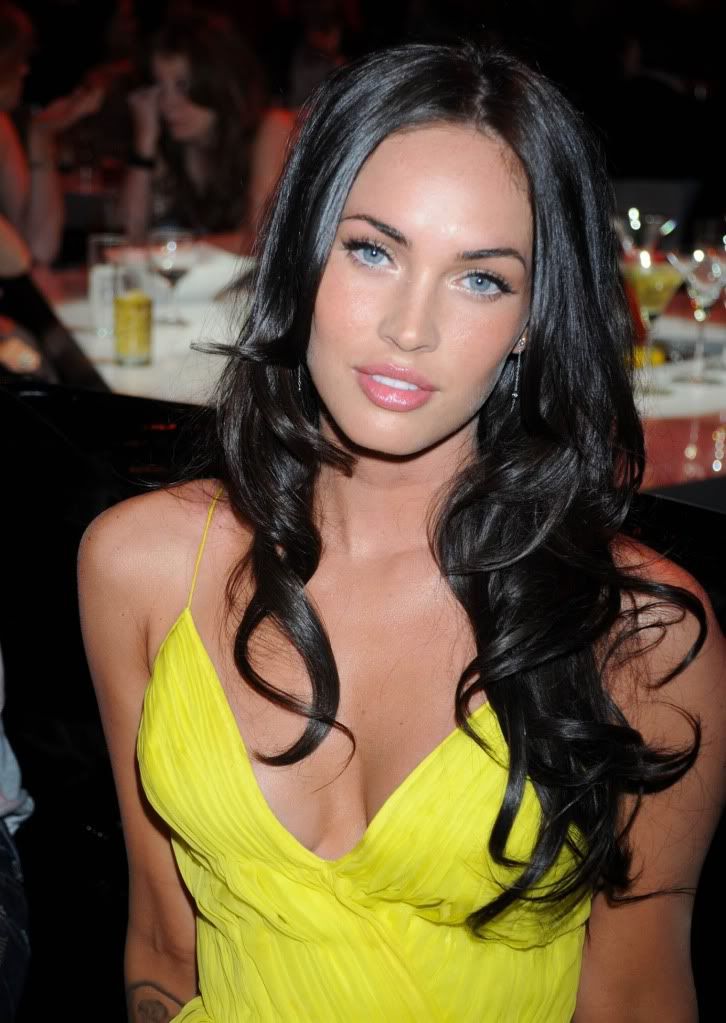
In computer class, we were assigned to make the perfect body image. Our class used the program Photoshop to do all the putting together of the two pictures. The way our class did this is we each found a celebrity picture with the person's face and body facing straight ahead. The celebrity I wanted to look like was Megan Fox. Then our teacher took a picture of each student by their self with no makeup on and no fixed hair dos. After our picture was taken, we then started to touch up our self portrait. I touched up my picture by adding face make up, eye shadow, mascara, and eye liner. I also changed my eye color. Once I thought my picture looked the way I wanted it to, I used the lasso tool to just cut out my face and paste it on the celebrity picture. After I pasted my face on the celebrity's body, I had to make my face fit over her face on her body. Then I changed my skin color to match the celebrity's skin color. Lastly, I used the eraser tool and burn tool to touch it up and make the picture look realistic.
I feel really good about the overall transformation of the picture. I did really well with touching up my self portrait picture and putting my face on the celebrity's body. I made my skin color match her skin color and I formatted my face perfectly where her face used to be. Doing this project has changed the way I view pictures in magazines. I never knew how easy it was to cut out a person’s face and put it on someone else’s body to make it look like it is the actual person. I now question the pictures I see in magazines or on the internet and wonder, is this really that celebrity or someone else? The pictures we see in magazines or on the internet make people today feel self conscious about them. People want to be like the celebrities they see in pictures, so they lose wait to be skinny like the celebrity is or get plastic surgery to look like a celebrity. Our society today thinks we should like skinny, tan, Botox, Barbie dolls. The way our society thinks they should like is becoming a major problem. We are all made the way God wanted us to be. If we all looked the same, we would live in a perfect world. It is better to be yourself and be considered an individual.
I think the two best things I did on my picture are adding makeup to my face and blending my face into the celebrities. My makeup looks realistic and my skin color matches up with the celebrities. The things I did worst on were fitting my face perfectly where her face is. My face looks awkward because of her large forehead and a mark she has on her face makes my face look bad.
Before Picture

After Picture