Wednesday, December 7, 2011

Instagram

Before

After
For our project in computer class, we are to lookup on Google, Photoshop Photo Editing Tutorials. Once we found a tutorial that we wanted to use on a picture, we began working with it on Adobe Photoshop. The Photoshop tutorial I chose to work with is Instagram. I found this tutorial by typing in Google, "Adobe Photoshop Tutorials." I then clicked on this website link. I chose this because I liked the way Instagram made a picture look. The picture I used was a picture I took of the beach when the sun was setting. The beach is at St. George Island in Florida. I started editing my photo in Photoshop by double clicking on the background layer to make it into an actual layer and changing the name to layer 0. I then created a new layer by clicking layer, new fill layer, solid color, and clicking ok. I then changed the Red to 247, Green to 217, and Blue to 173. I left the Opacity at 100% and I changed my blending option to "multiply." The next thing I did was click back on layer 0 and clicked on Image, then Adjustments, and clicked on Curves. I changed the green curve output to 37 and the blue output to 133. Next I went back to Image, Adjustments, and this time I clicked on Levels. I changed the middle level on input to 1.36. In the far right box in input I changed that to 236 and hit ok. Next I went back to Image, Adjustments, Brightness/ Contrast and made the brightness to 25 and the contrast to 60. If the "use legacy" box is checked, uncheck it and hit ok. I then went back to Image, Adjustments, and Curves and went to green and this time I changed the input to 20. Next, I went back to Image, Adjustments, Brightness/ Contrast and changed the brightness to -6 and the contrast to 33. The next thing I did was I went to Image, Adjustments, and Curves to change the blue output to 25. The last step I did was I flattened the image.

Tuesday, November 29, 2011

Merrick Construction and Roofing Wind Storm Advertisement

In computer class, we are creating advertisements. We are using the same company we created logos for. Our advertisement needs to be for an event held by the company. To create the advertisement, we used the program Adobe Photoshop. I then downloaded a paintbrush from a website to use for my background. I had to resize the brush to make it fit the page and the size I wanted it. I chose a color I wanted the background to be and applied the paintbrush to the advertisement. I added the text to my page by using the horizontal and vertical text tool. I used two different fonts on my advertisements and I added a drop shadow to the text on the top of the advertisement. Next I added a picture of a damaged roof on a home to go along with my advertisement. The picture needs to be in the public domain. I edited the picture by changing the brightness, shadows, and vibrance. I also rotated the picture to the right by using the transform button. I added a border to the advertisement by double clicking on the background layer and pressing layer style. On the side bar, I chose the stroke button and chose the size I wanted for my advertisement. The last thing I did to the advertisement was I added the logo I created for the company. I used the transform and scale to make the logo the size I wanted it to be. I had to use the magic wand tool to get rid of the white background of the logo I originally had and blended the logo background to the background of the advertisement.
                I created this advertisement because my dad’s company, Merrick Construction and Roofing, works on roofs. His company was busy after the wind storm Louisville, KY faced in 2008. I created this advertisement by coming up with the idea of the company giving inspections and 10 yards of singles for free to any customer who called by a certain date. The shingles are placed on the roofs by the company so the people who not have to install it themselves. The target audience for my advertisement is anyone who faced roof damage during the wind storm in 2008.

Monday, November 14, 2011

Merrick Construction and Roofing Logo

In computer class, we designed logos for companies who do not have a logo yet. We first sketched up designs for a company’s logo. Then once we had a good idea of what we wanted to design we used the program Adobe Photoshop on the computer to design the logo. I used a variety of tools on Photoshop to create the logo like the paint brush tool, line tool, custom shape tool, and horizontal type tool.
The company I made a logo for is my dad’s construction and roofing company. The logo communicates its purpose by having a ladder and a roof. The ladder is what my dad uses to get on roofs that he works on. Also, it has the initials MC which stands for Merrick Construction. The colors I chose to use on the logo are a dark red, light gray and dark gray, and black. I chose the color dark red because it looks masculine, which only men work for my dad and also dark red means wrath. I used black because the meaning for this color is power and also this color helps the dark red stand out more.
When I used the brush tool, it was to create the MC of the logo. I used the pen that is attached to the computer to use the brush tool. It takes steady hands to use the brush tool with the computer pen. I made the letters bigger than the ladder and the roof because I wanted to add emphasis. The most important part of the logo is the MC, the company. I used the line tool to create the ladder. I had to change the weight several times to get the line the way I wanted it to look. I also had to create the lines in a diagonal. I used the custom shape tool to create the roof. I found a triangle shape that I could use as the roof and I rotated the shape to the angle I wanted it. Lastly, I used the horizontal type tool to type the company’s name at the bottom of the logo. To create a shadow on the logo, I used the blending options on each layer to add the shadow behind the image.

Thursday, October 27, 2011

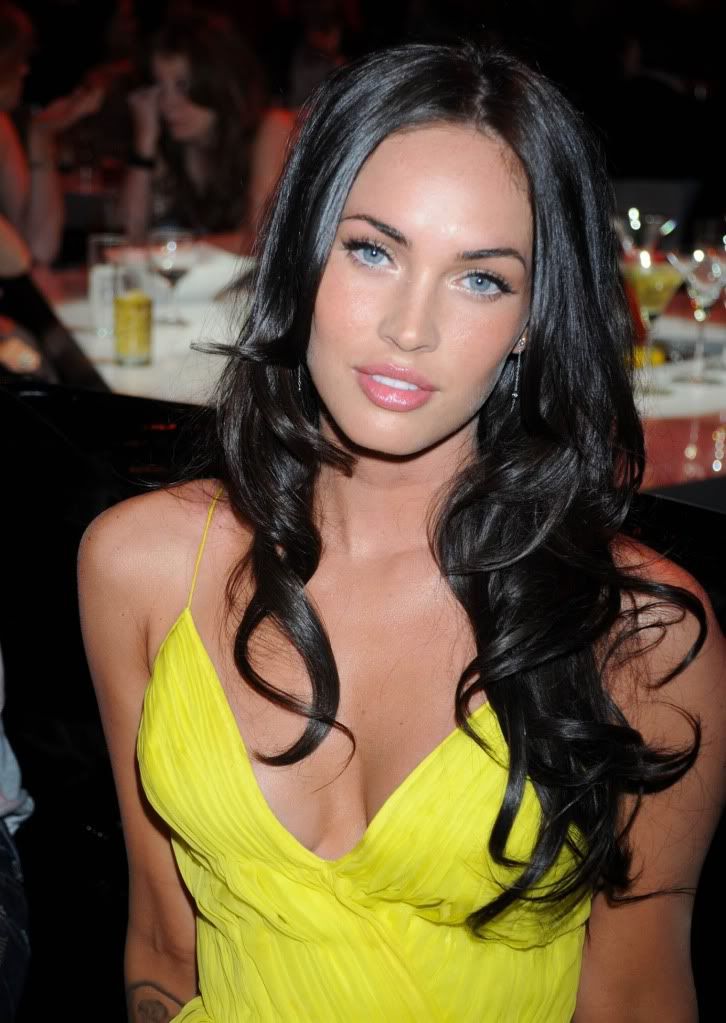
If I Looked Like A Celebrity

In computer class, we were assigned to make the perfect body image. Our class used the program Photoshop to do all the putting together of the two pictures. The way our class did this is we each found a celebrity picture with the person's face and body facing straight ahead. The celebrity I wanted to look like was Megan Fox. Then our teacher took a picture of each student by their self with no makeup on and no fixed hair dos. After our picture was taken, we then started to touch up our self portrait. I touched up my picture by adding face make up, eye shadow, mascara, and eye liner. I also changed my eye color. Once I thought my picture looked the way I wanted it to, I used the lasso tool to just cut out my face and paste it on the celebrity picture. After I pasted my face on the celebrity's body, I had to make my face fit over her face on her body. Then I changed my skin color to match the celebrity's skin color. Lastly, I used the eraser tool and burn tool to touch it up and make the picture look realistic.
I feel really good about the overall transformation of the picture. I did really well with touching up my self portrait picture and putting my face on the celebrity's body. I made my skin color match her skin color and I formatted my face perfectly where her face used to be. Doing this project has changed the way I view pictures in magazines. I never knew how easy it was to cut out a person’s face and put it on someone else’s body to make it look like it is the actual person. I now question the pictures I see in magazines or on the internet and wonder, is this really that celebrity or someone else? The pictures we see in magazines or on the internet make people today feel self conscious about them. People want to be like the celebrities they see in pictures, so they lose wait to be skinny like the celebrity is or get plastic surgery to look like a celebrity. Our society today thinks we should like skinny, tan, Botox, Barbie dolls. The way our society thinks they should like is becoming a major problem. We are all made the way God wanted us to be. If we all looked the same, we would live in a perfect world. It is better to be yourself and be considered an individual.
I think the two best things I did on my picture are adding makeup to my face and blending my face into the celebrities. My makeup looks realistic and my skin color matches up with the celebrities. The things I did worst on were fitting my face perfectly where her face is. My face looks awkward because of her large forehead and a mark she has on her face makes my face look bad.

                                   Before Picture


                                 After Picture

Tuesday, October 11, 2011

My Daily Life in Photographs

In my computer graphics class we have been working with the program Photoshop. This program is difficult but fun at the same time. Our class was assigned groups and each group had to demo a certain tool in Photoshop. The tools we learned ranged from using selection tools to retouching photos. Learning all these new tools was difficult to me. Especially since I could not even figure out where half of the tools were or how to drag a photo onto another photo. For those of you who are experts at Photoshop, I give you thumbs up! When we started using Photoshop, the class was given the assignment to do a collage of pictures that shows a day in the life of a mercy student. Each person did their own collage and had to use five different tools in Photoshop on the pictures.
On my collage, I used the tools color balance, crop, spot healing tool, levels, and red eye. When I used the color balance, I chose the sky part of the pictures and changed the colors of the sky. When I used the tool crop, I cropped out parts of the picture I did not need to make more space for other pictures on my collage. The spot healing tool was for spots on the faces of people in the pictures. I eliminated those spots in the picture to make the person look presentable. When I used the levels tool, I used it also on the sky part of my pictures to change the darkness, lightness, and midtones of the picture. This changes the pictures color drastically. Lastly, I used the red eye tool on a few people in my pictures to make the people look less devilish.

Sunday, September 25, 2011

Photography Elements in New York City

Our class has now moved into Photography elements. I am  not the greatest photo taker so my photography skills are not so wonderful as some people. Most of you all may not know what photography elements are. Below, I have taken three picutres to show three elements to give you an idea on some of the photography elements.
The first element is balance. This was taken in New York when half of my senior class and myself went to New York for two days. This is the picture of one of the new Twin Towers. This picture symbolizes balance because it has balance of the buildings on both sides of the picture.
This is a picture that symbolizes Lines. This is a picture of Ellis Island and this was also on our senior New York trip. There are several different lines used here in this picture, especially on the building.

This picture symbolizes Framing. This is a picture of the New York Stock Exchange Building in New York City. This picture symbolizes framing because it is highlighting the main part of the picture which here is the American flag.

Thursday, September 15, 2011

Copyright Podcast

In our computer and applications class, we were put into groups and assigned to create a piracy podcast. We used a program on our school's computers called Garage Band Tutorial. Our group's podcast is a talk show we created called "The Kathy Show." Our group created the script that is used in our podcast. We discussed several topics that are all included on the subject of music piracy. The picture we created for our podcast was not copyrighted. We designed the picture on Microsoft Paint and it was our idea of the picture. The picture would not be considered copyright infringement. The music we used in our podcast came from the Garage Band library. All of their music is listed under the public domain. Below is the Podcast my group and I created. I hope you all enjoy it and learn a little bit from it as well.
https://docs.google.com/leaf?id=0B5k_jl2rGQmxYzBjMjVhYmQtNTUxMy00ZGU5LWI5ZWQtMTFlNmE2ODg2MGYw&hl=en_US
In my point of view, downloading music is wrong unless you have bought the music. If you do not buy the music and are downloading off of a website or a program called "Frostwire," then that is illegal. Every person that downloads music illegally should be faced with a consequence. I think that Copyright Laws should exist because if they didn't then people would be copying music, books, movies, and other things without buying or getting permission from the copyright holders. People work hard on making movies, books, and music and should receive money for their work. Piracy is extremly common in our society because there is so many programs out there in the internet that people can get and download music for free without getting caught. Also, people copy dvds and sell them to people, which is illegal. If someone copied my group's podcast without our permission I would feel taken advantage of because they are using our hard work to gain their own satisfaction.

Wednesday, August 31, 2011

Just Do Your Own Work and Do Not Copyright.

The word Copyright is viewed in many different ways. Some people are taught one thing and another is taught something else. All these different views tie togther by three words, IT IS ILLEGAL. There are some circumstances where it is not illegal, but most of the time, people do not copyright the right way. I thought the word Copyright meant that a person needs permission to copy someone else's work. This meaning is true, but there is way more detail than that. The real deffinition of Copyright is the legal right granted to a person for a publication, production, or distribution of the work to other people.
In class, we were given homework to talk about our ideas on Copyright and find an article online that shows an example of Copyright Infringement or Internet Piracy. A article I found is about nineteen people from nine different states, ( including states outside of the U.S. ) who used the Internet to pirate copyrighted computer software, games, and movies that were worth about $6.5 million. These people worked in high- teched jobs and were members of "RISCISO". All of the defendents were each charged with "one count of conspiracy to commit copyright infringement." This is a five- year maximum prison sentence. Fifteen of the nineteen defendents were charged with copyright infringement. This is a three- year maximum prison sentence. These people broke the law clearly. They stole from people and did not pay for what they were taking. Also, they did not buy any copyright's to the computer software, games, and movies.They deserve a longer prison sentence then what they are charged with. These people worked at a high- tech job and they knew what they were doing was illegal.  http://www.msnbc.msn.com/id/11130929/

Thursday, August 18, 2011

The Future of Our World

Hello world, this here is my first blog ever. I am new at this kind of stuff and have never posted one before so if it is not what it is supposed to be, I apologize. This year, I am taking a computer and application II class at my high school and I am excited for what is to come this year. Yesterday was my first day in this class and our teacher assigned us to create a blog and share our views and experiences about technology and computers in the classroom and outside of school.
We were given the following question, What are your beliefs about the future of technology, specifically, how do you envision people using technology in the future? Well, my answer would be that no one in this world can predict what the future has in hold for us, but every year, our technology has grown in many ways that I can see our technology being top of the line. In our world, we have geniuses that learn something new every day and educate us with their new discoveries so that we can keep adding on to the great technology we have today.
In the future, I can see people driving little spaceship cars around instead of the vehicles we have today, but the great part of that is the spaceship cars are chargeable. That means no more spending thousands of dollars at the pump every year for gasoline (GET EXCITED)!Along with the spaceship cars, I see every household having electronic controls on a I pad looking object. For example, the control thing can turn off the lights if you just press a button, or it can open/ close your garage door. Lastly, I see every household having T.V. wall. This wall is close to a movie theater screen but it is not a screen. It is an actual wall but its a T.V. It is hard to explain but you will just have to wait and see what the future looks like.
Hopefully I will be alive for this generation of super awesome technology items. When I was in grade school, I first learned how to use the computer in first grade, and let me just add, it was not a pretty site, but hey I was six years old. As my brain started to develop, so did my computer skills and now I am helping my dad and grandpa learn how to use the computer and text on their cell phones. Now my mom on the other hand, she is starting to get the hang of emailing and googling things, but she does not want to learn how to text ( weirdo).
I cannot say that the future of technology is going to be a good thing though. I do not want my kids or grandkids stuck in front of a T.V. wall the whole day or being lazy all the time and having electronic controls do everything for them. They will think playing outside with their neighbors is weird and that is not a good kid. The future could lead to major obesity and we already have a major problem in our world. The future may look awesome sometimes, but I think what we have right now is much greater than that.